Showing posts with label links. Show all posts

Saturday, October 12, 2013

Quick fun Tech

The middle school students where I teach get to choose an "exploratory" or elective type class once a week. It can vary from sign language to drama. They go to this class for one quarter and then get to pick another class. I usually do a Tech Tools for School topic. I try to pick fun, easy tools the kids can pick up quickly since our class time is only 30 minutes. Sometimes we find a way to use them for school work and sometimes they are just for fun. I thought I would share some of their favorite fun links.

GeoGreeting
It's amazing how they could spend 30 minutes looking at every letter of the alphabet. The cool thing is that it tells you the location of the building (city) and then they want to either try and find it themselves or they go off and do some independent research on the place where the building is. Well look at that- self motivated learning at it's finest!

Spell with Flickr 
Another fun site, although today the letter N was not working on my computer. I tried all the browsers but nothing. When things like that happen with my students I remind them that it is a web based tool and sometimes things don't work perfectly. So we go to plan B! What I really like about this one is there are different letters to choose from. When you click on a letter it cycles through about 5 or so letters and you can pick the one you like. You are not stuck with one choice as in GeoGreeting.

CoolText
Another pretty cool text creator with some really neat fonts. You have many controls like color, size, gradient, the list is long. Some you can download the image in a variety of formats. One word of caution- this site does have ads so use it carefully.

So there you have it- Three fun tools to create your headings, use on powerpoints, anywhere you can use an image.

Wednesday, July 11, 2012

Summer is for exploring


So here I am, once again exploring websites. I have a habit of looking for one and thing and finding many other things that are even closely related to what I was originally looking for. Isn't that how all the famous discoveries happen? By accident? Remember though, with any site, you should always preview and look for anything that would not be suitable for your students.

 iFakeText
Fun site that lets you create a fake iPhone text conversation. The one on the left is a conversation between my dogs. Your students could use this web tool to create conversations between any two people or animals or anything you like. Such as 2 different shapes. No account needed and no mention of under age 13 use not permitted. The site does contain adds.


Newspaper Clip Generator
Create what looks like a newspaper clip. You choose the paper's name, headline, date and write a brief "article".  Once generated, there is a download link for your image. You can't direct link to the image and the images are deleted from their servers after a short time. It is recommended that you do not use real names of people or newspapers. There nothing in their privacy about use by under age 13 and there are no accounts created. Drawback: The site is not independent of other generators and they may not be appropriate for your students.


Copy Paste Character  ♬ ☺
Looking for a special character? ✿ This neat little site lets you copy a character by just clicking, go to where you want it and paste. Simple. ✯ And if you use a Mac, there are also emoji 🐶 to use. If you prefer the html code for the symbol that is available also. ☠ Fun! No account is necessary to use this website. I do not see any other issues you may have with your students, whatever their ages.


Monday, April 30, 2012

End of the School Year musings and Social Bookmarking

So the end of this school year is fast approaching. I always feel like I have more to say than I have time to say it in. There have been some frustrating moments in the year but also many exciting happenings. I was evaluating how our technology has improved at my school. I recently sent a survey out to the teachers inquiring what form of technology did they integrate in their lessons. It was a commendable list of things ranging from Edmodo (a very popular choice) to presentation tools like Prezi and Glogster. This list was quite encouraging especially remembering how little teachers would use in the past. So this is a step in the right direction.

One of the questions I asked was what technology infused projects or assignments were given to students. Here is where we lack. Outside of Microsoft Word (which technically is using technology), the list was quite short. This area is where we need to focus in the year ahead. I love walking down our school halls and seeing all the wonderful posters, book reports and models but I often wonder how teachers can branch out and encourage their students to do the same assignments but in another way other than using a poster board. A challenge indeed.

Perhaps in getting teachers to use some simple tools, they can see how these tools can also help their students. One such tool would be to create and organize internet bookmarks. Very simple yet very productive. My personal favorite is Delicious. I would have to say that 99% of my bookmarks are here. I have begun using the stacks feature to create groupings of links. This has been especially helpful when teachers ask me to find links for their students. A science teacher at my school has asked me many times for links to topics that her students are studying. I find and create stacks, send her the link, which she shares with her students. I am told the students try to finish their work so they can go explore the links. Lifelong learners in the making. My stacks are not particularly large and sometimes it is tricky finding interactive features. Nonetheless, it adds to their learning experience. Here is a link to a stack I put together for her class when they were studying geology.

Some thoughts about Delicious that you should consider: First of all Delicious is a "social bookmarking site" and could likely be blocked at your school because of the "social" nature. In the site you are able to search the community's links so doing a search might turn up some links that you don't want your students to be exploring. Secondly, in the terms of use, Delicious does state that their site in not intended for those under the age of 13. If your student population is mostly under this age you might consider some alternative bookmarking sites.

This list contains some great for teachers and adults but some not so great for the under 13 crowd:
Live Binders- Terms of use state that you must be 13 to register for an account and there are public binders that are easily accessible. So- good for teachers- not so good for under 13
Diigo- now this is a social bookmarking site that initially I did not like. It just did not seem user friendly. Too many options? However, looking back at it I see they now offer an education account. So Diigo now looks very promising for classroom use. I'll have to play more with this education account and post about it later.


Saturday, March 31, 2012

ThingLink

I have admitted I am not much for Twitter, but I will have to go on and reTweet this link out. I read about ThingLink on two different websites this morning so I had to check it out. ThingLink is great! I see so much use for the classroom, whether by a teacher and students or teacher alone. You do need an email to use, but I have not seen a Privacy Policy nor do I see anything in Terms of Service about under age 13. Someone correct me if you do, please.


Basically, ThingLink lets you upload pictures and tag them. You can then share with a link or embed the image. I created one and then put it on my class wiki. One of the tags in the image is a link to a website with more information for my students. This would be great to use in foreign language classes labeling things with the translations. Anything where you could label something- maps, artwork, parts of speech, the list is endless. Love it! Here is an example on the parts of speech.


Richard Byrne apparently talked about this a month ago (how did I miss it?!) and has a great tutorial/video about creating the images. Larry Ferlazzo also makes a post on ThingLink.

Definitely a site worth exploring. Below is the one I created for my class wiki.


Friday, March 16, 2012

Smarty Games


Saw this in my Google Reader just a bit a go and had to re-post here. Smarty Games interactive site with educational games like math, counting, money, reading and time. What caught my eye on the original post, InTech Insights, was that Smarty Games is free of ads. So many sites unfortunately are overrun with ads, some of which you would really rather your students never saw. Even the most innocuous ad is distracting for most students. The games are a simple design, but will give your students some extra practice.

Thursday, March 15, 2012

Virtual Museums

http://www.freetech4teachers.com/2011/12/5-interesting-virtual-museums-and.html?m=1

This link is an a post from December on Free Technology for Teachers. I have recommended this site before and again I must reiterate what a fabulous resource it is for teachers.

Richard Byrne provides links to just about anything under the sun to use in the classroom. This link to virtual museums is definitely a keeper. He posted this on Twitter the other day and it caught my eye. I think virtual museums give your students that first hand look at authentic items. With budget cuts everywhere, field trips are not high on the priority list. Please checks these out.

Wednesday, March 14, 2012

Happy Pi Day!


In celebration of Pi DayMcGraw Hill Education is offering 5 math apps free of charge through March 14. The apps are:
  • Addition Top-It
  • Equivalent Fractions
  • Beat the Computer Multiplication
  • Monster Squeeze
  • Divisibility Dash
Motivation low but have a happy Pi Day. Be sure to check out http://www.teachpi.org/ for fun ways to celebrate.

Sunday, January 1, 2012

2012 and History

Happy New Year and welcome to 2012!
Though it may be a bit cliche to write a post on the first day of the new year, I thought it might encourage me to keep at it throughout the year. The coming months look to be very busy. I will attend a Project Based Learning 3 day workshop in Tyler next week. I expect to return with great ideas to write about. February brings two conferences back to back. The Texas Computer Educator Association in Austin followed (during the same week) by the Texas Music Educators Association. They both are chock full of ways to refresh your teaching. And finally March will take me to the Music EdVentures conference in Vancouver. Should be a very interesting start to the year.

I thought about what sort of education link/post I would provide today and I decided to use a bit of history. I have shared this website with my teachers but I don't think anyone has used it yet. If I taught in a regular classroom I would have jumped on this one. The History Chef  is a fabulous website that brings you our American presidents and the foods of their time, particularly focusing on their favorite foods. The author of this site, Suzy Evans, J.D., Ph. D., began this site to encourage parents and their children to cook together and learn about history at the same time. Her stories and recipes are a fun and engaging way to explore our American history. So I encourage you to explore her site and perhaps share some cooking with your students.

Sunday, December 4, 2011

Snow anyone?

I just finished my recent post, but I had to add this site: Popular Front Snowdays. Here you can make your own snowflake and send it to a friend via email. You can add their banner to your site and just generally have fun with snow! Who doesn't like cutting out paper snowflakes?

One year I had my students make paper snowflakes to decorate my classroom. I was very surprised though at how many of them had never made them before. A higher percentage than I would have guessed.

***Update on the Snowflake making*** One of the teachers at my school had her students create a snowflake, print it in a greeting card format and write a Christmas greeting to one of the teachers in our school.  Teachers could also use the same idea but have students write cards to people in nursing homes or hospitals.

Or how about decorating a virtual gingerbread man? Sprint Sweets- Very cute. Both of these sites would be fun on a Smart Board.

Perhaps you would like to make your dog or cat sing Christmas songs? Then head on over to Critter Carols from Petcentric. Here is one I made with my pup, Rose.


Thanksgiving? Nope, moving on.

It seems I have missed November. I can't even sneak in a post and pretend I was doing my monthly post. Oh well...it was a good month though. Passed very quickly. I have a Christmas program coming up that has really taken up most of my energy. It is an annual thing at my school but it always takes more work than I remember each year. I work with first through fifth graders that will sing a variety of songs. I have 8th grade students that will be playing handbells. They have proved to be more challenging than in previous years. Guitar students and a small vocal ensemble have a few things to perform also. So you can see that I am a bit preoccupied.

Biggest news- got a mac book pro! Loving it. Using it now. Beautiful screen. Nice keyboard. Easy to navigate.  I really do like using it. Have much to learn about it and how to utilize everything it is able to do better than a pc.

So on to my things to share- 
I recently assisted our reading specialist at our school to present a parent workshop about emergent readers. It was a very good workshop and the parents really appreciated the information. We worked to get her a wikispace up and running, hopefully to help her parents find resources. MissVercilloReading will be a place where she can keep her parents informed. One of the first links we included was to the site Starfall. A favorite site of all the primary teachers at my school, Starfall offers visitors phonics, ABC's, books to read and be read to plus calendars, games and so many wonderful interactives. It really is time well spent exploring. 

One other thing I would like to share is if you are a fan of twitter, you should follow TCEA (Texas Computer Educator Association).  I was reminded by a colleague who has taken up tweeting, that TCEA makes a tweet each day about free apps. They frequently mention great educational websites also. I have tried to make it a part of my routine to check twitter each day to see what the offerings are for the day. Even if you don't twitter, you can still look them up to see what recommendations they may have. 

December looks to be a flurry. Literally. Busy weeks ahead. Stay warm and make good choices!

Sunday, October 30, 2011

Howling Halloween

So I am trying out the iPhone app for Blogger on my iPad. My thinking is maybe I can make more posts and stay current. I'm not sure if this is the best way to do this but it is certainly worth a try. I guess this is my test post.

Halloween Links:
Larry Ferlazzo is an amazing educator and his blog is one of my very favorites. I know I have mentioned him before and will continue to remind people whenever I can. A nice feature of his sites is the collection of the "best of" lists. A very extensive list of the best sites for just about anything you are looking for. I'm going to try and post a link here and not sure what it will look like but here is a link to his Halloween resources. http://larryferlazzo.edublogs.org/2008/10/05/the-best-websites-for-learning-about-halloween/
Be sure to look for the virtual pumpkin carving sites. They are great to use on a SmartBoard.

Happy Halloween!

Wednesday, September 14, 2011

September and bad blogging

It's September. Not the first of the month but pretty much half way through the month. I have been trying so hard to be a good blogger. A friend of mine told me that I needed to keep plugging away even if I only make one post a month. My goal was once a week and we can see that didn't happen. So at the very least I am going for once a month. Have to think positive though that I will make more posts. I'm trying. Okay enough whining....

Two interesting tools today. I was looking at a really wonderful wikispace called Cool Tools for Schools. Very nice collection of web 2.0 tools to use. Among the larger list of links I tried one called Quikmaps. I really liked it. Whenever I talk about musicians or composers in my music class I always like to show where they lived and traveled. It's hard to talk about Germany if the students have no clue where it is in relationship to where they live. Besides the fact that I just love maps! Right now we are listening to college fight songs in my music classes and I created a map showing where our school is and where the two colleges we have listened to are located. This link will take you to the map I created. You can add markers, text and save the map. You can use a variety of maps such as Yahoo, Google or Bing. I chose a Google Map. Very user friendly. You need an account but you do not need an email to get a free account. It is in beta but definitely worth a look.

You have seen this (to your left) before probably. I know I have. In fact I think I remember seeing them before I ever saw the gaining popularity QR code (on your right). This is a Microsoft Tag. You will need a Windows Live ID to create a free account but they are as simple to create as QR Codes. I don't know which will be most popular. You can get QR code readers and Tag readers for your smart phones. It seems I've seen more QR that Tags. But Microsoft has a pretty large footprint so who knows. So scan this with your Tag Reader app and it will take you to my school music wikispace. Download a QR reader app and try this QR code. One the quickest sites to create a QR code is Kaywa. Either way using these in the classroom would be a new way to engage your students.

Wednesday, August 10, 2011

Digital Storytelling

I happened to see a link on Facebook saying that the DEN Summer School archives were available. There was a lot of information about digital storytelling. I looked at a list of sites and came across TripWow. Very fun and makes a pretty cool travel video from your pictures. I played with it a bit and used some pics from my trip up north. Kind of reminds me of animoto but with a geographical twist. See for yourself:


Summer Trip to Pennsylvania Slideshow: Mary’s trip from Red Oak, Texas, United States to 8 cities Pennsylvania, Ohio, Kentucky, Philadelphia, Pittsburgh, Indiana, Pottstown and Ambridge was created by TripAdvisor. See another United States slideshow. Create a free slideshow with music from your travel photos.

Sunday, July 31, 2011

STAR Camp

Tomorrow is the first day of the Dallas Diocesan Teacher Tech Camp. We call it STAR Camp for Stellar Teachers Aquiring Resources. This is our 3rd year and I have helped teach at each camp. The camp is a wonderful opportunity for teachers to learn about ways to integrate technology in their lessons. We have had some fantastic teachers come through and it is so exciting to see them work so hard. They are always enthusiastic and eager to learn about a tool that will help them engage their students in new and exciting ways. I am so excited and I love it!

So my link for today is the link to our STAR Camp wikispace. It is loaded with lots of information and links. It would be a great resource for anyone looking for tips and guides. Plus there is a link to our Delicious bookmarks. So check it out and maybe find something new.

Monday, June 13, 2011

June

I'm really trying. I think about writing all the time but I guess that doesn't get the words on the page does it? Well I keep coming back and when I do I try to bring something to share.
We started our third year for our Teacher Tech Camp in the diocese. Today seemed to go well. I don't think we lost anyone. We introduced them to Rubistar. Rubistar is part of 4teachers.org and you can create or find some wonderful rubrics to use. I really love rubrics and this site makes it super easy to make them.
We also shared what we called "talking tools". There was Voki and Blabberize. Both seemed well liked, especially Voki. And we made everyone create a wikispace to use in their classrooms. I worry about this one because we had them all create a K-12 account but they need to verify their emails to go on. I am afraid most of them won't remember to do that. We will know tomorrow when we try to embed something in their wiki. Hmmmm....
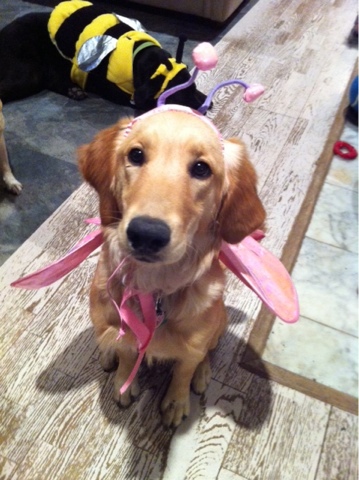
Okay, one more cool thing. I have been playing with the magazine covers on BigHugeLabs.com. Fun fun fun! We got a new golden retriever recently so I used a really cute picture of her and created a cover. Again, another fun site.

Sunday, March 27, 2011

Out like a Lion and a little Mouse Mischief

http://www.flickr.com/photos/dtchristner/


I seem to recall a phrase that if March comes in like a lamb it goes out like a lion. Not really lion-like weather but it is a rather chilly end to the month here. Feels more like fall than heralding in the warm Texas spring.

Remember that commercial where the man hits the end of the internet? I feel a bit like that today. I attended a really nice tech conference on Saturday and, other than one very cool thing (which I will review here shortly), I really didn't walk away with anything that earth shattering. Makes you think if now that we have all these amazing web 2.0 tools, just how are we going to use them that is different from all the other ways? A definite challenge. I'm weary of hearing about how "fun Wordle is" (and it is!), or "use Wallwisher as an exit ticket from your class" (would love to but it is blocked at our school) or "everyone knows about wikis"(I know, I have one!). So now what? Our challenge is take these great web tools and get our kids to do something wonderful. I still think we are too focused on teacher centered use of these tools and not enough on what can you do with your students.

Okay- so the really cool idea I did learn about:
Mouse Mischief
This is a free download from Microsoft. All you need are wireless mice and the software. Now there are a few conditions and you'll need to read about this on their site, but if you have ever wanted to use the clicker response systems in your classroom, well, well now is your chance. Someone put it as the economical clicker response system (or the poor man's crs!). One of the presenters was a first grade teacher from our diocese and her students absolutely love using Mouse Mischief. They can be used individually or as team response. So even if you can't afford enough wireless mice for a whole class set, you can buy enough to make teams and that would cut your costs considerably. Looks like a very do-able thing to do. I think I am going to recommend this to our teams at my school. I suggest if you are reading this you take a look too!

Saturday, October 30, 2010

October 2010

I have not been very good at making posts recently. It seems once school starts my life spins on super fast speed. Christmas program is fast approaching, TMEA and TCEA are in February. Catholic Schools week before that and then it will be Young Authors Day, Art Fest and Graduation.

So here is my link for today- just saw this one and think it is valuable. This comes from one of my daily reads Free Technology for Teachers. If you don't already read this blog you definitely need to bookmark it. Richard Byrne offers more ideas and links than you can imagine. Wonderful, wonderful resource for teachers. In a recent post he shares the link to Open Educational Resources. It is "a place for educators to post lessons and lesson materials that others can use. There are thousands of lessons organized by content area and grade level. After you've made your initial selections of content area and grade level you can refine your search by lesson type, material, media format, and usage rights." (Byrne)

As a fine arts teacher, I naturally look at the lessons for that area. It is common for lesson plan sites to not have many fine arts lessons that I find workable. However, at OER I was able to find a number of lessons that really are nice. The ease of search makes OER a new favorite of mine. I highly recommend this site and thank Richard Byrne for sharing this link.

Sunday, September 26, 2010

September 2010 links

It might be a better thing if I make my posting goal once a month. That way if I have more to say it will be a bonus. School has consumed my time. I suppose this is good since they do pay me for that. But I have felt guilty not spending time making any posts. I have had some good links come by my computer screen lately but have not had the opportunity to share. Hopefully anyone who sees my posts also reads many other blogs.

Here is a very cool one for today to start us off. Coming from BBC is Dimensions. The quick description from their site says "Dimensions takes important places, events and things, and overlays them onto a map of where you are." Simply put, that sums it up.


To use this in the classroom: It would give students a grasp on the relationship of events to their own place in the world. They(we) often cannot imagine the enormity of something that doesn't happen in our neighborhood. This brings it all home.

Sunday, August 22, 2010

Looking back at the First Week of School and 2 great links

We have finished our first week of school and I was exhausted by the end of Friday. I was lucky though to end the day with a very pleasant group of 4th graders. A nice way to go into the weekend. I would have to say the first week went rather well. My kindergarten class this week was a nice surprise also. In fact, I recorded them singing a song and place a clip on my St E Music Wiki. Take a listen!I always enjoy seeing our students come in with their fresh out of the package uniforms. You could see that some shirts still bore the marks of manufactured pressing and folding and knew they opened the wrapping that morning. Their attitudes were as fresh as their new uniforms and we teachers greeted them with smiles and our own "fresh and rejuvinated" outlooks. It felt good and comforting. A good omen I think.

I don't think I shared this site yet, and cannot remember where I first saw it listed. I am sure on one of my favorite blogs so I appologize to the original poster. I am always on the lookout for free music or sound effects and this one is very cool. Free Nature Sounds lets you mix and create a variety of nature sounds that you can link to or export it as a wav file. Very nice.

And if you were not aware of Monkey Machine this is another online drum machine but great fun to use and create drum beats. I used Monkey Machine when my class of 6th grade girls created a math rap. Very easy to use with lots of options.


This week will be a full week. We will have our first student mass on Friday. Each week a different grade/homeroom prepares the mass. 8A will do this week so that means lots of singing for me. Time to talk about proper singing and posture, breathing and so on. I need to find or create a singing "checklist" for the SmartBoard. I'll have to do some research and see what I can find. More to come!